Tesseract
Point cloud in, BIM model out.
Tesseract is scan to BIM from Landex. Upload a laser scan of a building or a structure, choose the level of detail, and get back an IFC or Revit model, usually within an hour.
Buildings, inside and out. Structures, too.
Walls with their thickness, floors, ceilings, door and window openings, stairs, columns and beams.
Everything in Shell, plus ducts, pipes, cable trays, conduit, lights and fixed equipment.
Bridges, piers, decks, parapets and barriers, gantries, lighting, transmission towers with their wires and fittings, and site structures, from terrestrial, mobile or aerial scans.
Pricing is by quote, for API access and for end-user access. Ask for a quote
A model you finish, not one you draw.
Every wall, slab, opening, column and beam placed and classified. Opens in Revit, Archicad, Solibri or any IFC viewer.
Native walls with hosted doors and windows, set up for what you use it for: residential as-builts, existing conditions with MEP, and more.
Open the model in the browser over your scan. Switch between the points and the model to check it, and share it with your team.
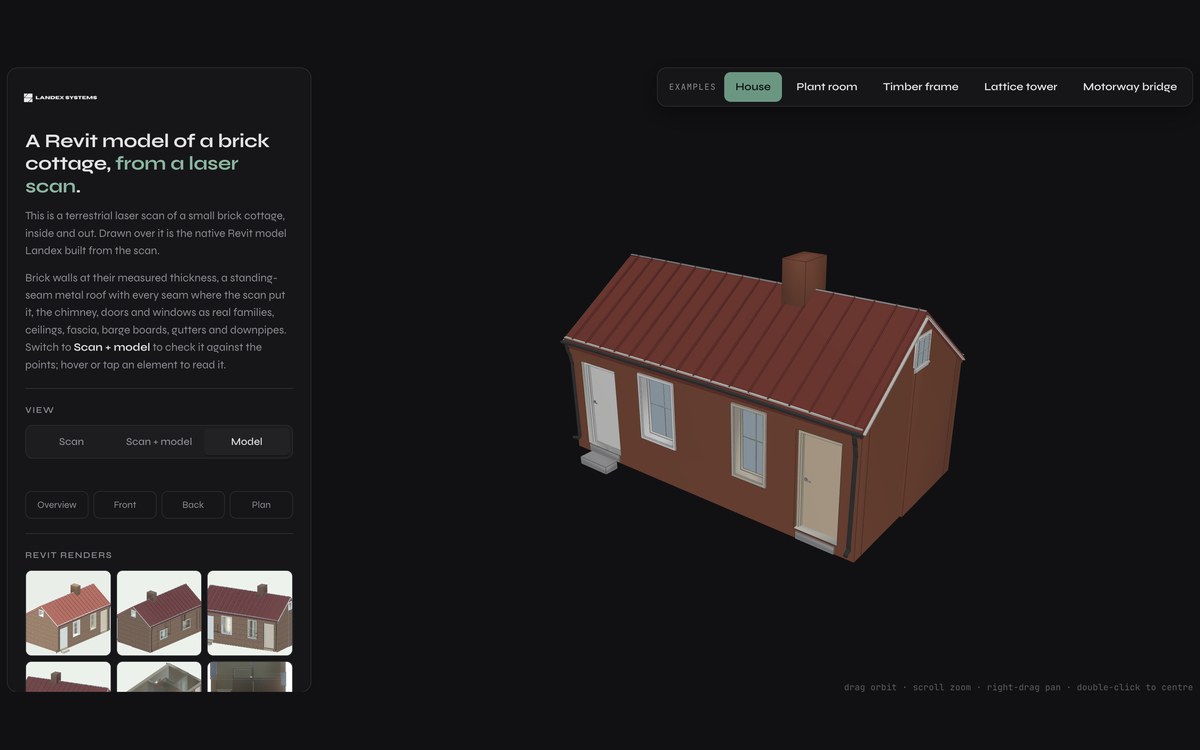 See it liveFive scans, five models.A house, a plant room, a timber frame, a lattice tower and a motorway bridge, each rebuilt as a model you can check against its scan.bim.landexsystems.com
From scan to model in four steps.
- 01Upload the scan
E57, LAS or LAZ, straight from the scanner or your registration software.
- 02Choose your settings
The level of detail, the part of the scan you want modelled, and anything we should know about it.
- 03Get a quote
We price the job before anything runs, so you know the cost up front.
- 04Get the model
Usually delivered within an hour. Download it from your Landex account.
Landex turns raw reality into data you can query. Tesseract is the part that builds the BIM model. The same scan can also return counts, plans, measurements and answers to plain questions.